
Portal
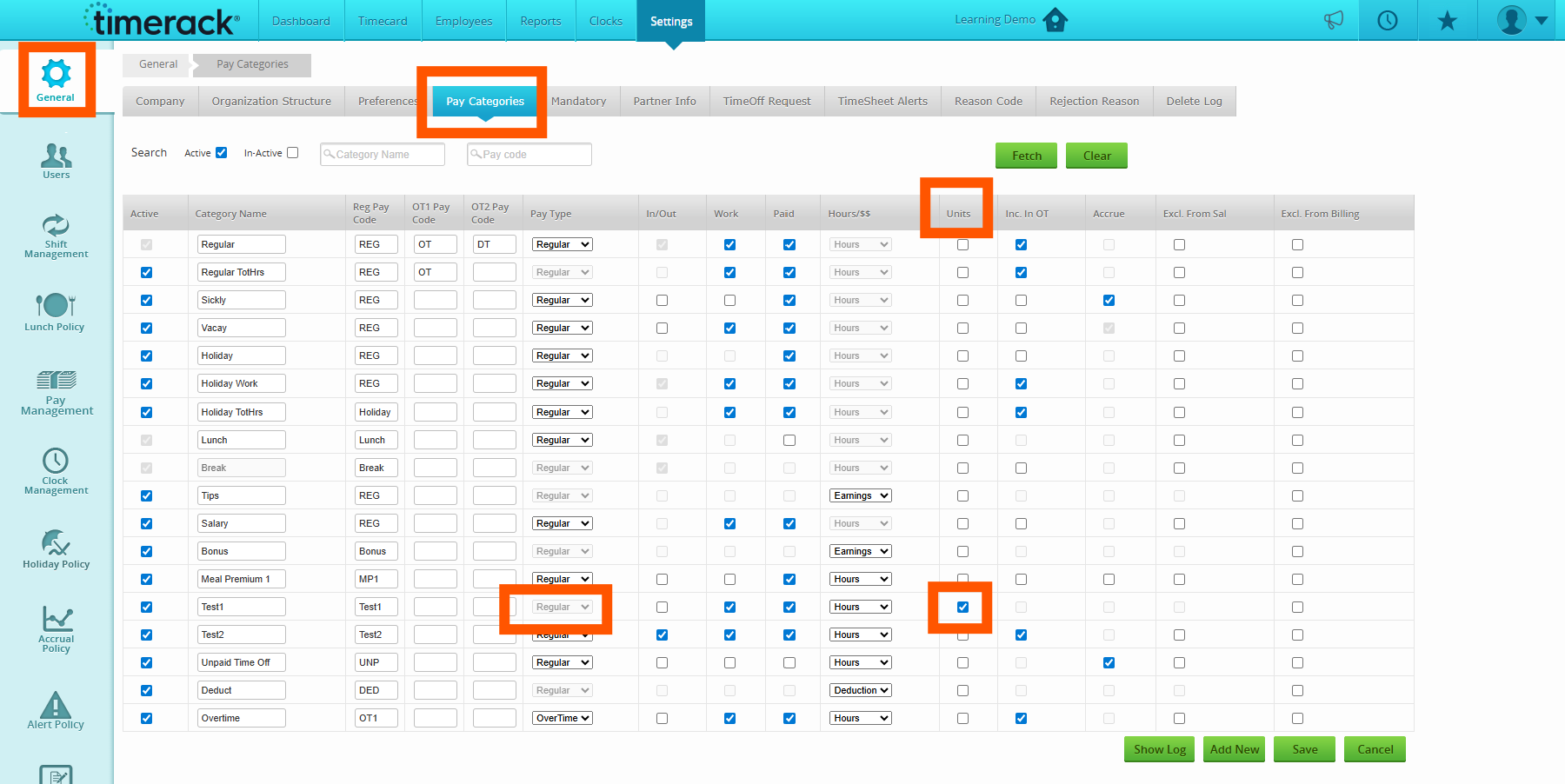
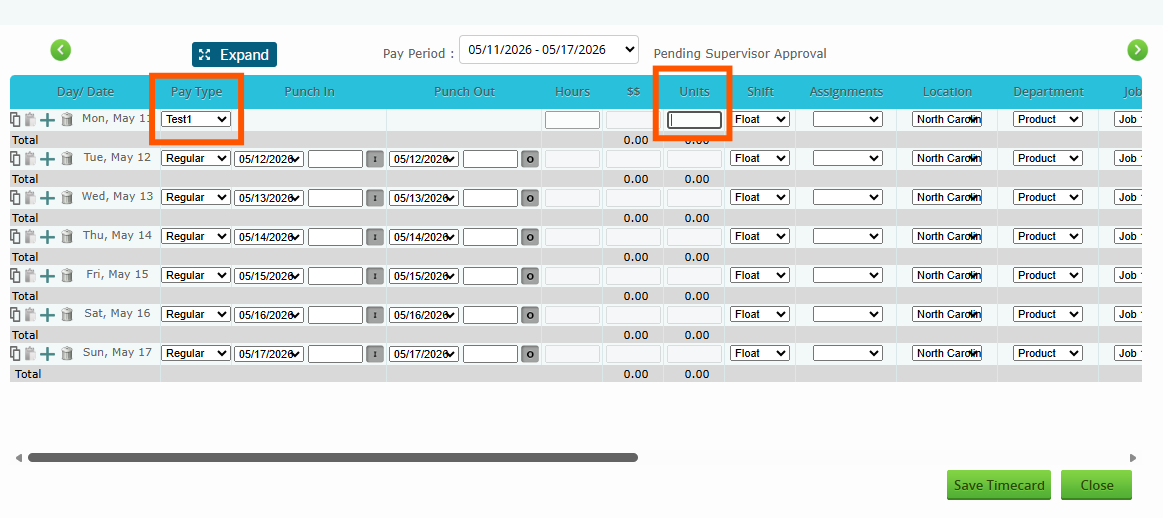
•Units: There is a new functionality in the system to label pay categories as units. Once a pay category is labeled as Units, it can then be added to the employees' timecards and show on the Timecard Detail and Payroll Summary report. Unit Pay and Bill Rates can be edited through the Employees' Assignments. Check out our new article regarding Units to learn more!
•The system has been updated to adhere to the following rule:
Given an employee has a status of inactive
When they are assigned to an active assignment
Then the employee's status will move from Inactive to Active
**Please note: Currently there is a Preference in Settings>General that can be enabled to Deactivate Employees with No Active Assignments, this new rule is separate from that.
Reports
• The Timecard Review report now pulls an "Approved By" column. To access this report, navigate to Reports>Timecard>Timecard Review.
• The Daily Punch Summary report now has the option to include all pay categories, both paid and unpaid. To access this report, navigate to Reports>Timecard>Timecard Review.